To locate your Conversations (club member chat) in the vendor panel, navigate to the contacts tab from the left-hand menu.
Go to Contacts > Conversations
You can log in to your Vendor Panel at any time.
Conversations enables you to send direct messages to your club members, allowing you to address any inquiries they may have. This feature is handy for communicating about product changes, membership updates, or any other important information. Club members can respond to your messages directly from the membership portal.

Conversations Membership Portal
For club members, conversations can be accessed at:
Your Website > My Account > Memberships > Send Message
Club members can send direct messages to your Vendor Panel through the membership portal.

Conversation Settings
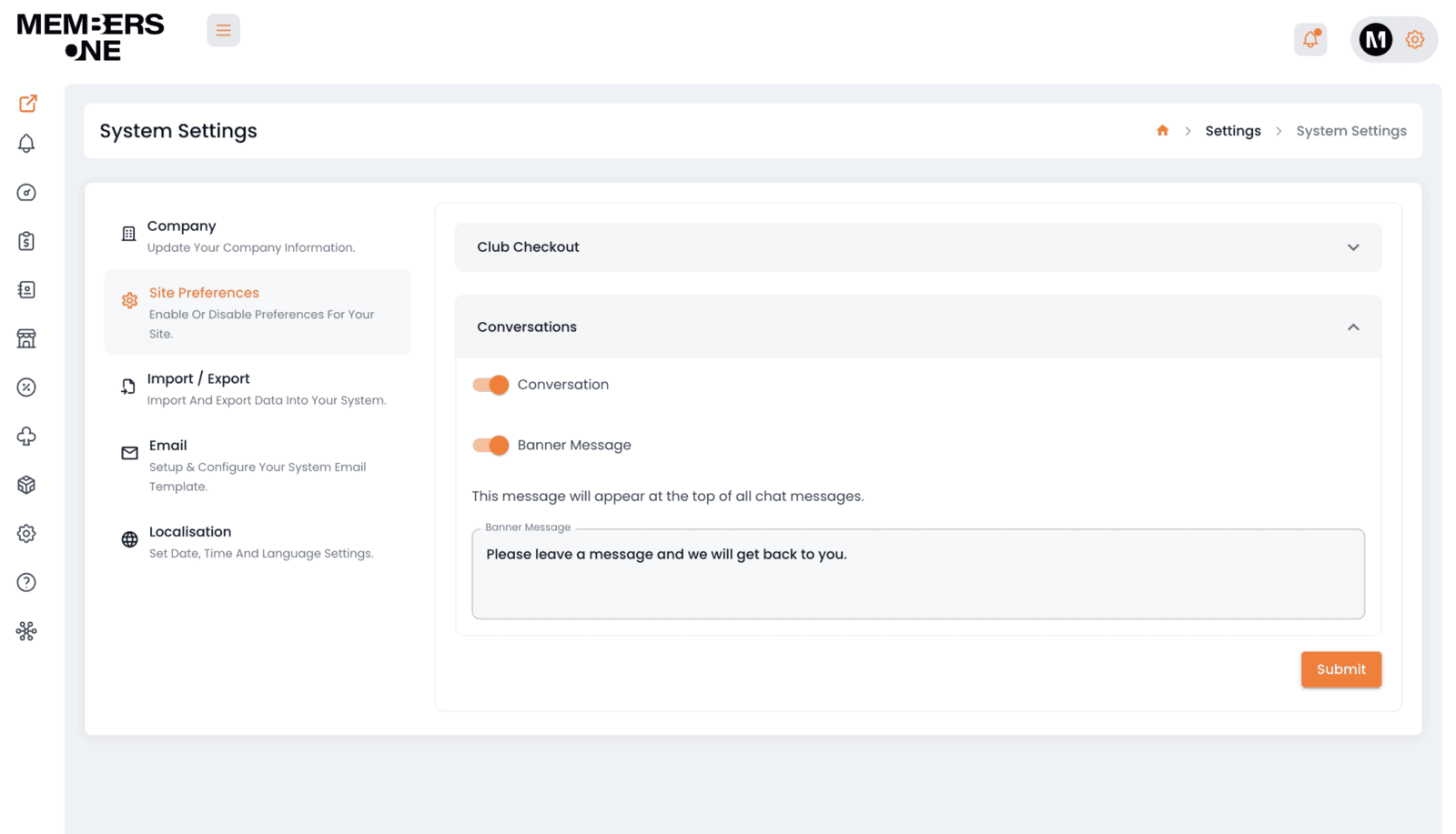
To locate the conversation settings, navigate to:
Settings > System Settings > Site Prefrences > Conversations
You can enable or disable the conversations link from appearing on the membership portal. This feature is helpful for preventing the conversation chat from being used.
Additionally, you can add a banner message at the top of the conversations chat. This is especially useful for advertising opening times or broadcasting important messages to members.