Documentation

Cancellation Reasons

To add a reason, navigate to Clubs & Subscriptions > Cancellation Reasons.

The Cancellation Reasons feature enables you to specify particular reasons for members to cancel their memberships. You have the flexibility to edit, delete, or modify these reasons at any time.


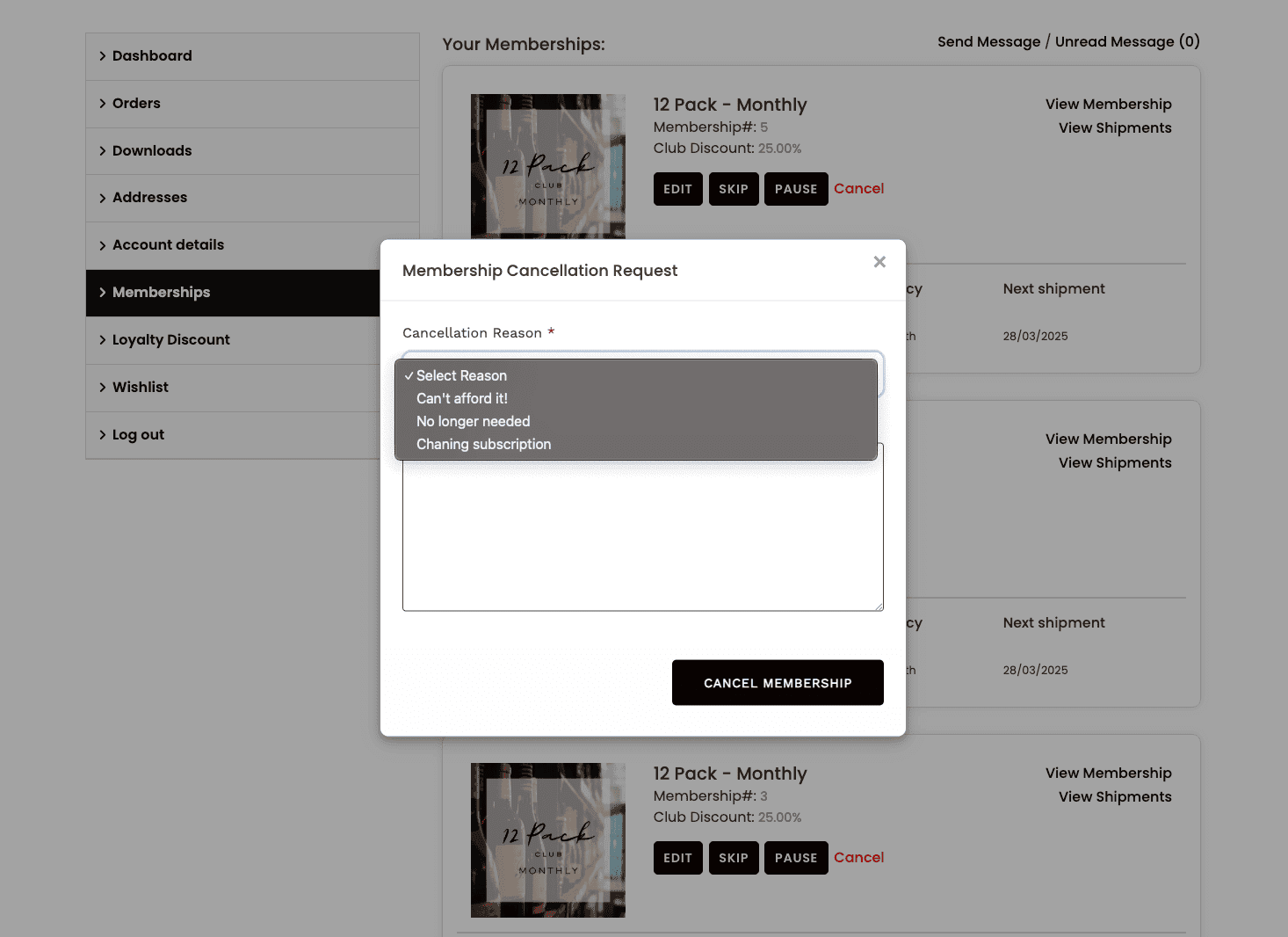
After saving the reasons, your members can easily access them in the My Account > Memberships > Cancel > Select Reason.
Was this helpful?

  • Happy
  • Normal
  • Sad
Support icon representing customer assistance for Members One

Need to Connect with us?

Need assistance with Members One? Reach out to our support team for further assitance.

Members One.

Interested In Members One?

Want to speak to someone about Members One? Contact our support team for further assistance.

Read the January Update - OUT NOW

Now on the apple store

Your Cellar Door POS
is Here..

Sign up members, process tastings, and sync sales back to your dashboard. All from your iPad.