Go to Clubs & Subscriptions > Subscription Clubs > Product Swap.
From the Club Subscription page, you can select the Product Swap option, enabling you to exchange an existing club product for a new one. Furthermore, you have the flexibility to swap products across all clubs or choose individual products for specific clubs.
Please note: This action will update all members who have this product as part of their membership, and it cannot be undone. If you would like to swap a specific product on a membership, this can be done in the edit membership section.

Specific Club Product Swap
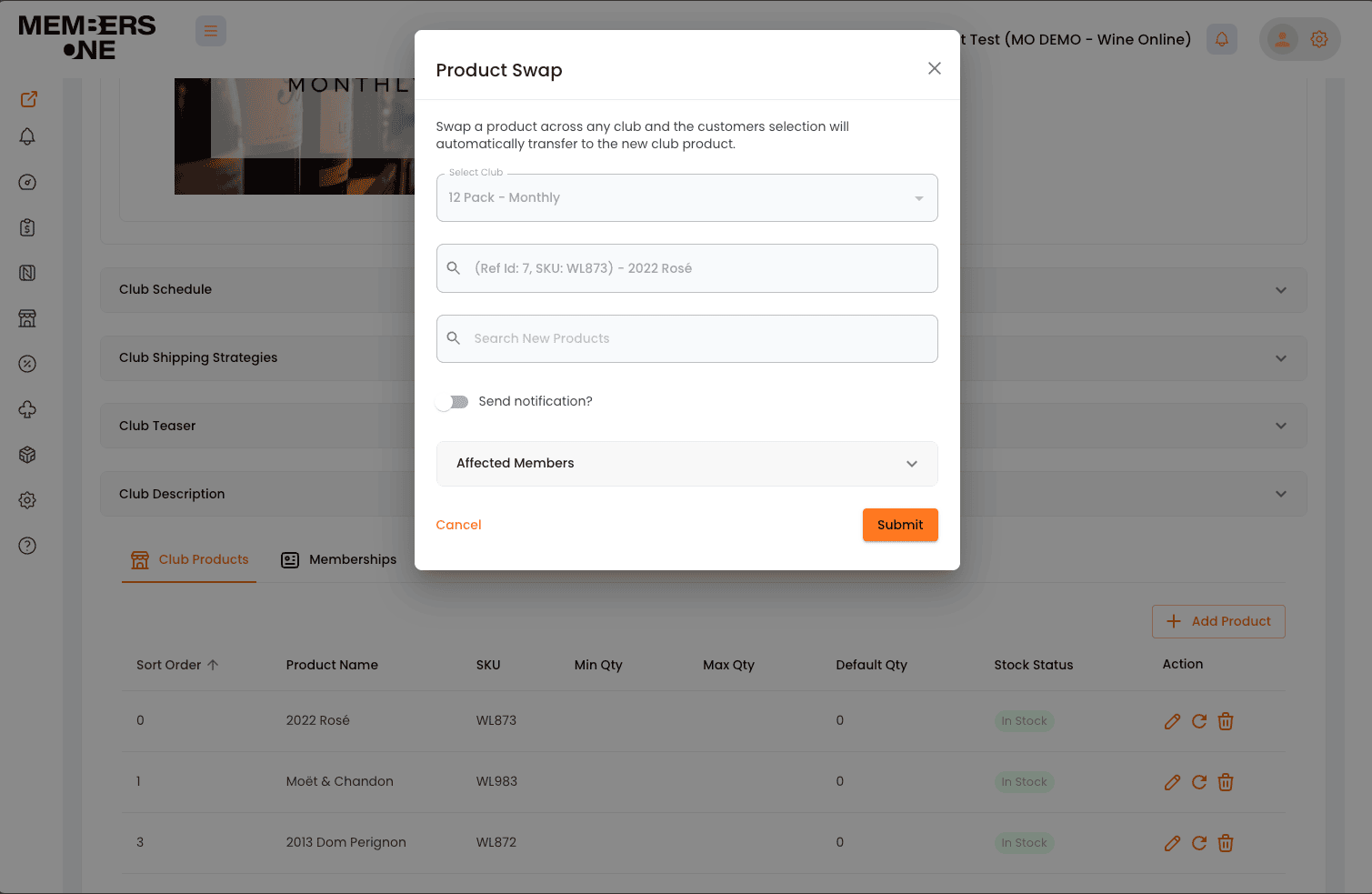
From the club view page, you can easily swap specific products within a particular club. This feature is especially useful for managing individual products associated with specific clubs.
Go to Subscription Clubs > View Club > Scroll down to the products section > Select Product Swap Icon.
To swap your product, simply use the pop-up box. Your member’s selections will automatically transfer to the new club product.