
Overview: Google Places Integration
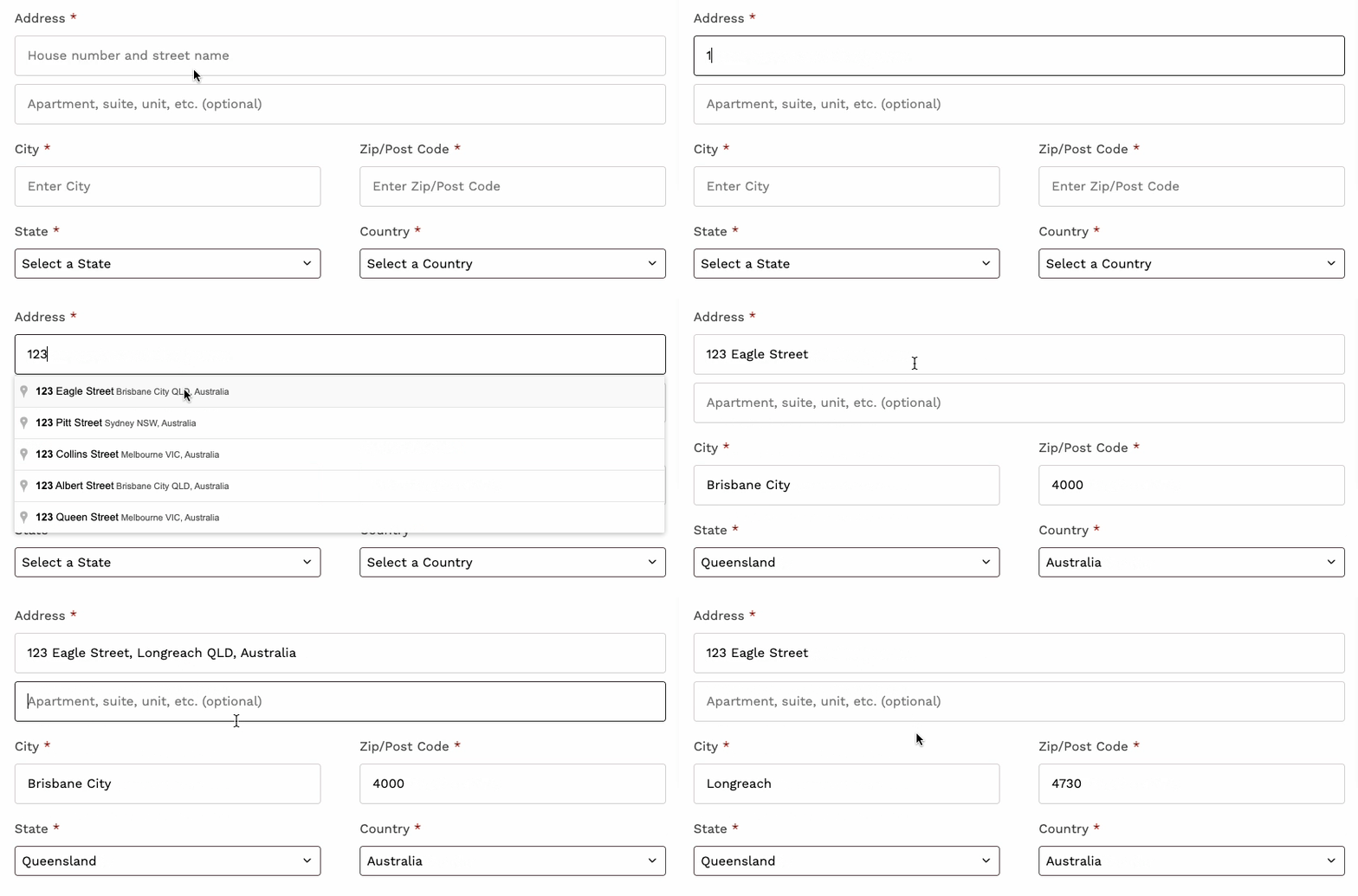
Integrate Members One with Google Places to streamline your subscription checkout experience. This feature enables real-time address suggestions as customers begin typing their address, making the signup process faster, smoother, and more accurate.
Benefits:
- Faster address input for customers
- Reduced checkout errors
- Improved user experience
- Increased conversion rates
By reducing manual entry errors and minimising friction during checkout, this integration can lead to improved data quality and higher conversion rates.
Setup & Configuration
To enable Google Address Auto-Complete on your subscription checkout page:
- Navigate to your Vendor Panel.
- Go to: Settings > System Settings > Site Preferences > Checkout.
- Toggle Enable Google Auto Address Completion to the ON position.
Once enabled, customers will see address suggestions automatically populate as they begin typing in the Address field during checkout.
Additional Notes
- This integration uses the Google Places API, but no customer-side configuration is required.
- Members One manages the Google API key for you, so you don’t need to set up or maintain your own Google Cloud account.